|
SmartDraft® Point Tools allow the operator to:
Click on the  icons below to view video demonstrations of these new features. icons below to view video demonstrations of these new features.
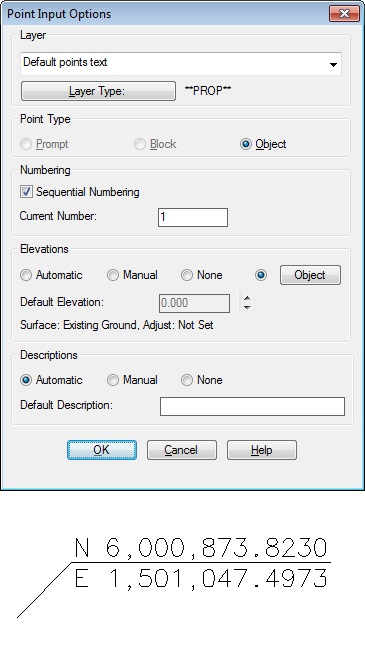
- Control point insertion settings. Set insertion layer, point type, and elevation from object (surface, profile, feature line)
- Create points which go directly into the Civil 3D Survey Database
- Create points along a line at setback distances
- Create points at end and radius points of selected objects
- Create points along an alignment at specified stations and offsets
- Connect point with a polyline or 3D polyline
|
Associate points to Civi 3D alignment for station and offset information. Create a station and offset point table. |
- Merge ASCII point files and check for duplicate numbers
- ID the northing, easting, and elevation of a point selected on the screen
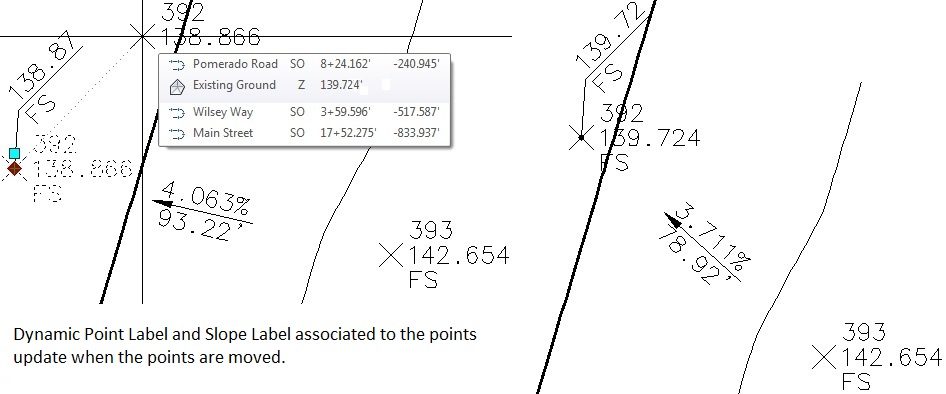
- Create a dynamic point label by selecting point objects
|
Point Block Extract |
- Create a dynamic coordinate label
|
Associate Survey Working Folder |
- Create a point selection set
- Find and replace raw description in points and survey points
- Delete Point Groups
- Create a coordinate table of points in the drawing
|