
 |
|


 |
 |

|

|
 |
 |
 |
 |
| Support | ||||||||||||||||||
|
The primary method of product support is via e-mail. We reply to your request as soon as possible. E-mail: Support When requesting support, please provide the following information to help us serve you more quickly:
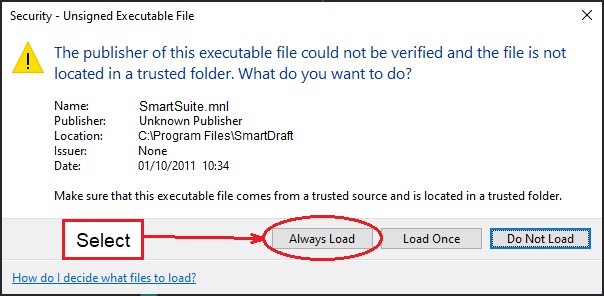
In SmartDraft the information above can be easily produced by using the SmartInfo command, which allows you to copy and paste the results into an e-mail. See Office Hours Warning: Starting with AutoCAD 2014: When you load the SmartDraft menu for the first time, the File Loading - Security Concern dialog box may appear. If it does, you must select the Load button for SmartDraft to work correctly. Note: The listed file could be smartxxxxx.mnl and MySql.Data.4.dll.
|
||||||||||||||||||
SITE MAP | PRIVACY POLICY | LICENSE AGREEMENT | TERMS AND CONDITIONS
AutoCAD is a registered trademark of Autodesk, Inc. SmartDraft is a registered trademark of SmartDraft, Inc.
Microsoft is a registered trademark of Microsoft Corporation. All other brand names, product names, or trademarks belong to their respective holders.